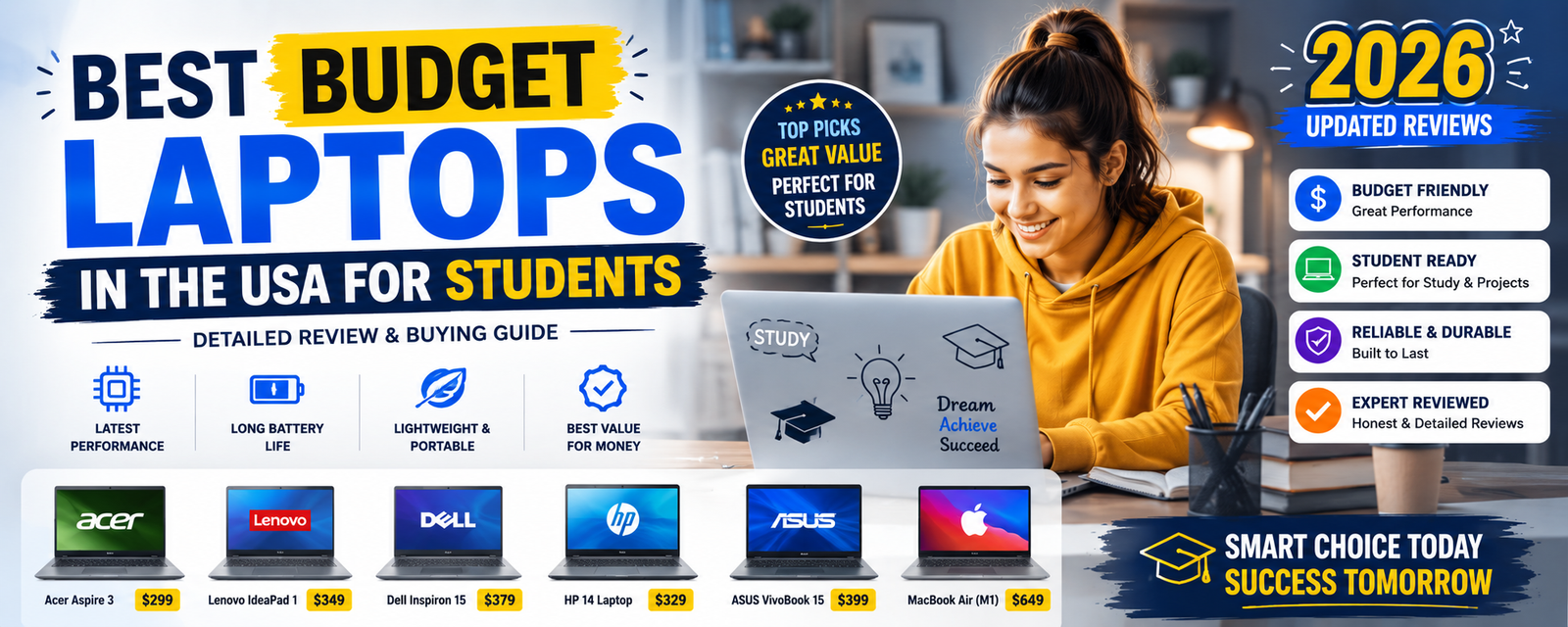
The Best Budget Laptops for Students in the USA (2026): A Real Buying Guide
Let’s be honest about something first: laptop shopping is stressful, and it’s especially stressful when you’re a student trying to stretch every dollar as far as it’ll go. You open up a shopping site, get hit with forty different models, a wall of acronyms like SSD and DDR4, and about a dozen conflicting “best laptop” articles that all seem to disagree with each other. It’s enough to make anyone just close the tab and go back to using whatever ancient machine they already own.
I’ve been there. A friend of mine spent an entire weekend trying to pick a laptop for her freshman year, and by Sunday night she was more confused than when she started. What finally helped wasn’t more research — it was someone breaking down, in plain language, what actually matters and what’s just marketing noise.
That’s what this guide is trying to do. Here’s the genuinely good news before we dive in: you don’t need to spend a fortune to get a laptop that’ll carry you through classes, assignments, research papers, video calls, and the occasional late-night entertainment binge. Budget laptops in 2026 are simply better than they used to be. Even the affordable models now come with fast SSD storage, a reasonable 8GB of RAM, and processors efficient enough to handle everyday academic work without choking.
In this guide, we’re going to walk through exactly what to look for in a student laptop, review some of the strongest budget options available in the USA right now, and help you figure out which one actually fits your specific situation — because “best laptop” honestly depends a lot on what you’re studying and how you use it.
What Actually Matters When You’re Laptop Shopping on a Budget
Before we get into specific models, it’s worth understanding the handful of specs that genuinely make a difference for student use. A lot of what you’ll see advertised is just noise. Here’s what actually counts.
The Processor (CPU)
Think of the processor as the engine of your laptop — it determines how fast programs actually run, and how well your machine handles you having fifteen browser tabs open while also running a video call and a Word document (we’ve all been there).
For students, you’re generally looking at either an Intel Core i3 or i5 from the 11th to 13th generation, or an AMD Ryzen 3 or Ryzen 5. Both of these processor families give you solid performance for multitasking, research, coding, and everyday productivity work without needing to spend on something more powerful than you actually need.
RAM (Memory)
RAM is what lets your laptop juggle multiple things at once without grinding to a halt. This is the spec where cutting corners tends to bite you the hardest.
The minimum you should be looking at is 8GB. If you know you’re going to be a heavy multitasker — lots of tabs, heavy software, maybe some light video editing — 16GB is the more comfortable choice. That said, 8GB is genuinely enough for the average student to run several browser tabs, a video call, and office applications all at the same time without everything grinding to a crawl.
Storage
Here’s a rule that’s basically non-negotiable in 2026: get SSD storage, not a traditional hard drive. SSDs are dramatically faster, and the difference shows up in something as simple as how long it takes your laptop to boot up or how quickly an application opens.
For most students, 256GB SSD storage is a workable minimum, and 512GB SSD is the more comfortable, “I won’t have to think about storage space” option. SSDs are the single biggest reason budget laptops feel so much snappier today than they did just a few years ago.
Battery Life
If you’re the kind of student who’s hauling your laptop between classes, camping out in the library for hours, or working from a coffee shop without easy access to an outlet, battery life stops being a nice-to-have and becomes essential. Aim for something in the range of 6 to 10 hours of real-world battery life.
The Display
Finally, the screen. A 14 to 15.6-inch Full HD display tends to hit the sweet spot for students — big enough to comfortably read documents, watch lecture recordings, and write code, without being so large that it becomes a pain to carry around campus all day.
With those basics out of the way, let’s actually get into the laptops.
The Best Budget Laptops for Students in 2026
1. ASUS VivoBook Go 14
If you want something genuinely portable without sacrificing reliable everyday performance, the ASUS VivoBook Go 14 is one of the strongest options on the market right now for students who don’t want to overspend.
It comes equipped with an AMD Ryzen 3 or Ryzen 5 processor, 8GB of RAM, and a choice of 256GB to 512GB SSD storage, all packed into a 14-inch Full HD display and a light frame weighing around 1.4 kilograms — light enough that you genuinely won’t notice it in your backpack on a long day of classes.
What people tend to love about it is exactly that combination of lightness and reliability: it’s easy to carry, the battery life holds up well, and it handles day-to-day tasks without complaint. The one real tradeoff is that it’s not built for anything heavy-duty like gaming or 3D design work — but honestly, that’s not what most students need it for anyway.
Best for: students who want something light and portable for assignments, browsing, and online classes.
2. Lenovo IdeaPad Slim 3
The Lenovo IdeaPad Slim 3 has built a reputation as one of the more dependable budget options out there, and it earns that reputation through strong performance relative to its price point.
It runs on an AMD Ryzen 5 processor with 8GB of RAM and a roomy 512GB SSD, paired with a larger 15.6-inch Full HD display and battery life that stretches up to around 8 hours. That combination of a bigger screen and a genuinely powerful processor for the price makes it particularly well-suited to students doing a lot of writing, research, or coding.
People also tend to praise the keyboard specifically — a detail that matters more than you’d think when you’re typing essays for hours at a stretch. The only real downside is that it’s a bit heavier than some of the smaller 14-inch alternatives, so if ultra-portability is your top priority, keep that in mind.
Best for: students who want a bigger screen for writing reports, watching lectures, or coding.
3. Acer Aspire 3
The Acer Aspire 3 has been a go-to budget recommendation for years now, and it earns that staying power by striking a genuinely solid balance between price, performance, and battery life.
It’s typically equipped with either an Intel N100 or another Intel Core series processor, 8GB of RAM, a 256GB SSD, and a 15.6-inch Full HD display, with battery life sitting in the 6 to 8 hour range. It’s affordable, handles everyday tasks smoothly, has a comfortable keyboard, and holds up well in terms of overall build quality. The main compromise is display quality — it’s serviceable, but it’s not going to wow you the way a pricier laptop might.
Best for: students looking for an affordable machine that handles basic tasks and everyday assignments without fuss.
4. HP 15 Laptop
The HP 15 continues to be a popular pick for students, partly thanks to solid performance and partly thanks to HP’s long-standing reputation for reliability.
It comes with an Intel Core i3 processor, 8GB of RAM, a 256GB SSD, a 15.6-inch Full HD display, and battery life reaching up to about 7 hours. For the price, the processor punches above its weight, and the larger screen makes it a genuinely comfortable choice for productivity work. The keyboard is another strong point here. The main tradeoff is battery life, which is decent but not the best on this list.
Best for: students who want a dependable laptop for productivity, coding, and general office work.
5. ASUS VivoBook 15
Rounding out the list is the ASUS VivoBook 15, which manages to balance solid performance, portability, and a genuinely stylish design — not something you always get in the budget category.
It’s built around a 12th generation Intel Core i3 processor, 8GB of RAM, a spacious 512GB SSD, and a 15.6-inch Full HD display, weighing in at about 1.7 kilograms. The fast SSD and sleek design are the clear highlights here. If there’s one weak spot, it’s the built-in speakers, which don’t quite match the rest of the machine — something worth keeping in mind if you plan on using it for a lot of media without headphones.
Best for: students who want a stylish laptop with solid everyday performance.
What If You Just Want a Chromebook?
Not every student needs — or wants — a full Windows laptop, and that’s a completely valid call. Chromebooks have carved out a real niche for students because they’re affordable and specifically optimized for online, browser-based work. If your day-to-day mostly involves writing documents, browsing, and watching lecture videos, a Chromebook can genuinely cover all of that without any hassle.
The Samsung Chromebook 4 11.6″ is a solid example of what this category does well: it’s very affordable, has long battery life, and is impressively lightweight. The tradeoff is real, though — Chromebooks come with much more limited software support compared to a full Windows laptop, so if your coursework requires specific desktop software, this probably isn’t the right fit.
Quick Comparison Table
| Laptop | Processor | RAM | Storage | Display |
|---|---|---|---|---|
| ASUS VivoBook Go 14 | Ryzen 3/5 | 8GB | 256–512GB SSD | 14″ |
| Lenovo IdeaPad Slim 3 | Ryzen 5 | 8GB | 512GB SSD | 15.6″ |
| Acer Aspire 3 | Intel N100 | 8GB | 256GB SSD | 15.6″ |
| HP 15 | Intel Core i3 | 8GB | 256GB SSD | 15.6″ |
| ASUS VivoBook 15 | Intel Core i3 | 8GB | 512GB SSD | 15.6″ |
Which Laptop Actually Fits Your Major?
This is where a lot of generic buying guides fall short — they treat every student like they need the exact same machine, when in reality your field of study genuinely changes what matters most.
If you’re studying business or the humanities, you’re mostly going to be writing essays, doing research, and putting together presentations. The Lenovo IdeaPad Slim 3 and the HP 15 are both strong fits here — the larger screens and comfortable keyboards make long writing sessions noticeably less painful.
If you’re in computer science, you’ll want a bit more processing muscle to comfortably run development environments and handle coding work. The ASUS VivoBook 15 and the ASUS VivoBook Go 14 both offer enough power for programming and development tools without pushing you into a much pricier category.
If you’re simply trying to spend as little as possible, the Acer Aspire 3 or a Chromebook are going to give you the best value for your money, hands down.
A Few Practical Tips Before You Buy
Beyond just picking a specific model, there are a few general principles worth keeping in mind as you shop.
Always choose SSD storage over a traditional hard drive. This isn’t really up for debate anymore — SSDs are faster and more reliable across the board, and a laptop with a traditional hard drive is going to feel sluggish compared to virtually anything on this list.
Don’t go below 8GB of RAM. Anything less tends to feel noticeably slow with modern applications and browser usage, even for fairly light tasks.
Stick with brands that have a track record. Lenovo, ASUS, HP, Acer, and Dell are all names with a long history of producing reliable laptops, which matters a lot when you’re relying on this machine to get you through an entire academic year (or more).
Actually think about battery life. If your day involves back-to-back classes or long stretches away from an outlet, don’t treat battery life as an afterthought — it can genuinely make or break your day-to-day experience with the laptop.
Windows or Chromebook? How to Actually Decide
This is one of the most common points of confusion for students, so let’s break it down simply.
Windows laptops are the better choice if your coursework involves programming, specialized professional software, gaming, or more advanced productivity tools. Basically, if you need to install specific desktop programs, Windows is going to give you far more flexibility.
Chromebooks shine when your work is mostly centered around web browsing, Google Docs, attending online classes, and other relatively basic day-to-day tasks. They’re cheaper, but that lower price comes with a real tradeoff in overall power and software flexibility.
Neither option is objectively “better” — it really does come down to what your specific coursework demands.
What Should You Actually Expect to Spend?
Budgeting matters just as much as specs, so here’s a realistic breakdown of what different price ranges tend to get you for a student laptop in the USA in 2026.
| Budget | What You Get |
|---|---|
| $300–$500 | Basic laptops and Chromebooks |
| $500–$700 | Solid, well-rounded student laptops |
| $700–$900 | More powerful machines built for heavier multitasking |
For the average student, the sweet spot tends to land somewhere in that $500 to $700 range — enough to get a genuinely capable machine without paying for power you probably won’t use.
Final Thoughts
Here’s the thing that’s genuinely changed in the last few years: students no longer need to spend a small fortune to get a laptop that can carry them through their entire academic career. Today’s budget laptops come with capable processors, fast SSD storage, and enough RAM to comfortably multitask — features that used to be reserved for pricier machines just a short while ago.
Models like the ASUS VivoBook, Lenovo IdeaPad, Acer Aspire, and HP 15 all deliver genuinely strong performance for students without draining a bank account that’s probably already stretched thin by tuition and textbooks.
When you’re making your final decision, keep coming back to the same core checklist: a reasonably modern processor, at least 8GB of RAM, SSD storage, and battery life that can actually get you through your day. Nail those four things, and pretty much any laptop on this list will serve you well.
Get that combination right, and you’ll have a laptop that can handle assignments, online classes, coding projects, and everything else your academic journey throws at it — without needing to think twice about whether it’s up to the task.